
How to Use Extend Templates in Azure DevOps Pipelines | PyDataI
Learn how to use extend templates in Azure DevOps pipelines. Step-by-step guide with examples to simplify scheduling and parameterized database refresh.
Ravi Chauhan
9/5/20251 min read
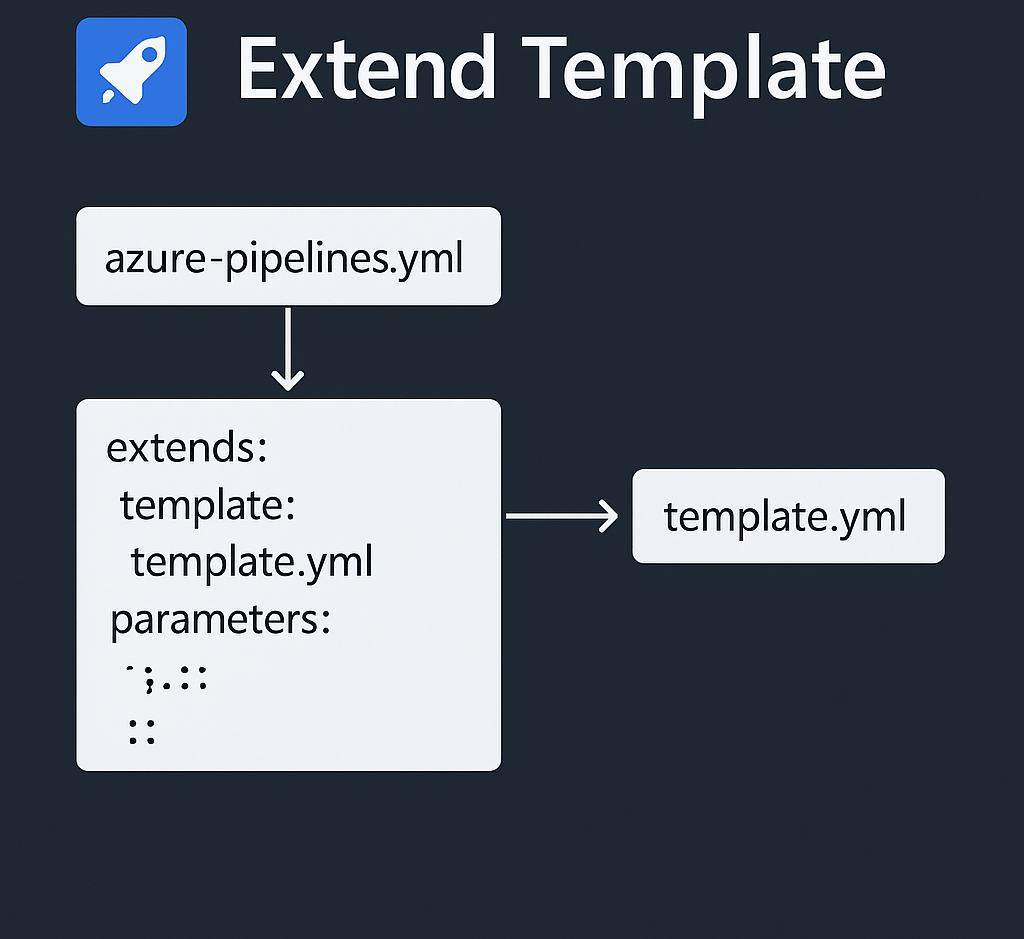
When managing databases in DevOps workflows, reusability and consistency are key. Azure Pipelines’ extend templates feature allows you to standardize your pipeline logic while keeping it flexible for both ad-hoc and scheduled scenarios.
In this post, I’ll walk through how I’m using extend templates to refresh a PostgreSQL database, with optional parameters for backups and timestamps.
Why Use Extend Templates?
Traditionally, you might create a single pipeline for each variation of a task—one for manual refresh, one for scheduled refresh, one for test environments, etc. This quickly becomes hard to maintain.
With extend templates, you can define the refresh logic once and then reuse it in multiple pipelines by passing different parameters. That way:
Ad-hoc runs can be triggered with custom values.
Scheduled runs can be managed by a lightweight pipeline that extends the base logic.
Base Pipeline – Ad-hoc Refresh
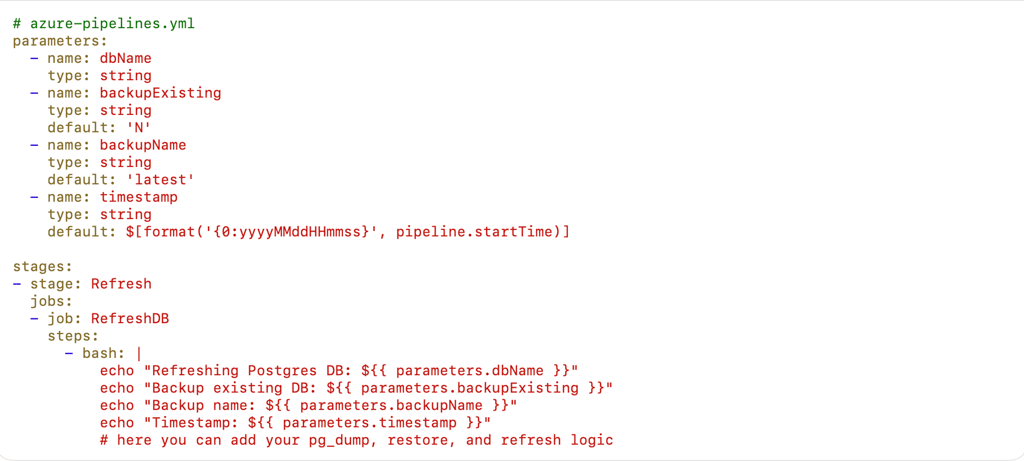
Here’s the base pipeline that handles PostgreSQL refresh. It accepts four parameters, three of which have defaults:
This pipeline is perfect for ad-hoc refreshes because you can pass in the dbName and override any defaults when triggering manually.
Services
Staff Outsourcing
Automation Services
Process Management
Cloud services
Database services
Streamlining IT management for educational institutions.
Contact details
support@pydatai.in
+91-6378315547
Contact
© 2024 - 2025. All rights reserved.